Finding the Best Macro Tracking App of 2026
Searching for the best macro tracking app? We compare top apps on logging speed, AI features, and data accuracy to help you find the perfect fit for your goals.

Trying to stick to a nutrition plan can feel like you're fighting an uphill battle. But having the right tool in your pocket doesn't just help—it can completely change the game. The best macro tracking app for you is the one that simply gets out of your way and fits into your life, whether that means super-fast AI logging, a database you can trust down to the gram, or some helpful coaching to keep you on track.
Why a Great Macro App Is Your Strongest Ally
When we talk about the best macro tracking apps in 2026, it’s about so much more than just counting calories. It’s about finding a reliable partner for your health goals. The number one reason people give up on tracking is simple: friction. If logging a meal feels like a chore, you’re just not going to do it for long.
Thankfully, modern apps have come a long way from the days of tedious, manual data entry. What works for one person might not work for you, so the "best" app really comes down to what you value most.
- For the busy professional: Speed is everything. You need an app that can log your lunch from a quick photo or a voice note while you're running to your next meeting. This is where an app like BiteKit truly shines.
- For the serious athlete: Accuracy is non-negotiable. An app with a scientifically verified food database, like Cronometer, ensures every gram of protein, fat, and carbohydrate is accounted for.
- For the beginner: Getting started can be overwhelming. The ideal app offers simple guidance and smart coaching without throwing a million data points at you.
Finding Your Perfect Match
Ultimately, sticking with any nutrition plan is a matter of behavioral science. Study after study shows that consistent self-monitoring is one of the most powerful habits for managing weight and hitting fitness goals. A 2019 meta-analysis published in JMIR mHealth and uHealth found that individuals who used diet and fitness apps more frequently and consistently achieved greater weight loss. The catch—it only works if the tool is genuinely easy to use. The effort it takes to log your food has to be lower than your motivation to do it.
This is where the small differences between apps become a big deal. A clunky interface, a slow-to-load database, or an inaccurate entry can be just enough to make you throw in the towel.
The most effective nutritional strategy is the one you can actually stick with. A macro app’s main job is to make sticking with it as effortless as possible, turning a daily chore into a quick, satisfying win.
This guide goes beyond the usual feature lists to dig into what makes these apps tick. We'll look at the tech, the user experience, and how they perform in the real world. Before we get into the nitty-gritty, here’s a quick overview of the top contenders to give you a feel for the landscape.
Top Macro Tracking Apps of 2026 at a Glance
This table gives you a high-level look at the leading apps, their core strengths, and who they're built for. Think of it as a starting point to narrow down your options before we dive deeper into each one.
| App | Best For | Key Feature | Pricing |
|---|---|---|---|
| BiteKit | Speed and Privacy | AI Photo & Voice Logging | Free / Premium |
| MyFitnessPal | Massive Food Database | Barcode Scanning & Community | Free / Premium |
| Cronometer | Micronutrient Tracking | Verified Database & In-depth Data | Free / Premium |
| MacroFactor | Adaptive Coaching | AI-Powered Calorie Adjustments | Subscription |
Each of these apps brings something unique to the table. MyFitnessPal has a massive, crowd-sourced database, while MacroFactor uses an algorithm to adjust your targets automatically. Your choice depends on whether you prioritize speed, precision, community, or automated coaching.
The Real Reason You Quit Tracking: The Habit Loop
The single biggest predictor of whether you’ll succeed with nutrition tracking isn’t your motivation—it’s your consistency. And consistency isn’t about willpower. It’s about building a habit so simple it becomes automatic. For any new routine to stick, the reward has to feel bigger than the effort. When you’re logging meals, that effort is measured in taps and seconds.
Every time you log what you eat, you're running a tiny habit loop. The smoother that process is, the more likely you are to do it again. But even small annoyances—a clunky interface, a slow-loading food database, or too many steps just to log an apple—add up. This is friction. Over time, these little frustrations drain your mental energy and are often the real reason people give up on tracking altogether.
This connection between logging speed and long-term success is the most important benchmark we can use. For anyone with a busy life, every second matters. The goal isn't to make tracking the focus of your day; it's to make it a background task that just happens.
What Does "Fast" Actually Mean in a Macro App?
"Fast" isn't just a feeling; we can actually measure it. I like to break it down into a few key metrics when I'm testing an app:
- Taps-to-Log: How many times do you have to press the screen to find and log a single food item?
- Time-per-Entry: From opening the app to confirming the entry, how many seconds does it actually take?
- Cognitive Load: How much do you have to think? Do you have to navigate confusing menus, or does the app seem to know what you need next?
When you log three meals and two snacks a day, small efficiencies make a huge difference. Saving just 30 seconds per meal might not sound like much, but that’s over two minutes a day. That adds up to nearly 15 minutes a week you get back—time you could be using for meal prep, a quick workout, or just relaxing. If you're just getting started on this journey, our guide on how to count macros for beginners can help you build a strong foundation.
Speed Is a Feature, Not a Bonus
In the world of macro apps, speed has become a key battleground. The smallest design choices can have a massive impact on your daily experience and whether you stick with it. Some apps are clearly built from the ground up to minimize every possible interaction.
A deep-dive comparison from the MacroFactor team in 2025 found their app required about 1.5 times fewer taps or swipes than MyFitnessPal across all logging methods. We're talking 10 actions versus 15 just to search for a food. That's not just a minor detail; it's a game-changer. Logging three meals a day could mean over 100 fewer screen interactions every week. You can see their full 2025 analysis here.
This data proves that logging speed isn't a "nice-to-have" feature; it's fundamental to building a sustainable habit. An app that respects your time by eliminating friction is an app you're much more likely to use long enough to see real results. As we dive into the top apps of 2026, keep this in mind: the best app for you will be the one that makes consistency feel effortless.
A Head-to-Head Comparison of Top Macro Apps
Picking a macro tracking app is a surprisingly personal decision. After all, this is a tool you’ll be using multiple times a day, every single day. To find the right fit, we need to look beyond marketing claims and see how these apps actually perform in the real world.
We're going to compare four of the biggest names in the game: MyFitnessPal, Cronometer, MacroFactor, and BiteKit. We’ll focus on what really matters: how you log your food, how accurate the data is, and what the day-to-day experience feels like.
Each app has a completely different philosophy, and understanding those differences is the key to choosing one that actually sticks.
Logging Methods: From Traditional to Truly Modern
The single biggest reason people give up on tracking is the sheer hassle of logging food. If the process is slow or frustrating, you're just not going to do it. Let's break down how each app tackles this crucial step.
MyFitnessPal (MFP): The Database Giant
MFP's claim to fame is its absolutely massive, user-generated food database, built up over more than a decade. Paired with a barcode scanner, you can find just about any packaged food under the sun. The trade-off? That size comes at the cost of quality. The database is notorious for duplicate entries, missing info, and just plain wrong numbers.
- How you log: Search the database by name or scan a barcode.
- Who it's for: People who eat a lot of common, packaged foods and don't mind double-checking the nutrition info on the back of the box.
- The reality check: Trying to log a homemade meal is a total grind. You have to find and add every single ingredient one by one, a tedious process that can quickly kill your motivation.
Cronometer: The Gold Standard for Accuracy
Cronometer takes the opposite approach. It prioritizes accuracy above everything else. Its database is curated, meaning every entry is verified by its staff for accuracy. While it's smaller than MFP's, the data is far more reliable, especially for whole foods and tracking micronutrients.
- How you log: Barcode scanning and text search within a verified, high-quality database.
- Who it's for: Health enthusiasts, athletes, or anyone who needs to track vitamins and minerals with near-perfect precision.
- The reality check: Just like MFP, complex meals still demand that you enter each ingredient manually. Its database can also miss some niche or brand-new packaged items.
MacroFactor: The Intelligent Database
MacroFactor takes the classic database model and polishes it to a shine. The design is smart—its search is lightning-fast and learns to show you your most frequent foods first. The whole interface is built around minimizing taps and getting you in and out quickly.
- How you log: A highly optimized barcode scanner and text search system.
- Who it's for: Users who want a fast, clean, and efficient database experience for logging their regular foods.
- The reality check: At its core, it's still a database. That custom salad from the cafe down the street still requires you to search for "romaine lettuce," "grilled chicken," "feta cheese," and "balsamic vinaigrette" individually.
BiteKit: The AI-Powered Future
BiteKit throws the entire database rulebook out the window. Instead of searching for ingredients, you just tell the app what you're eating. You can take a photo of your meal, use your voice, or type a simple phrase like, "a bowl of oatmeal with blueberries and almonds." The AI does the rest.
- How you log: AI-driven photo recognition, voice logging, and natural language text entry.
- Who it's for: Busy professionals, parents, and anyone who eats a lot of complex, non-packaged meals and values speed above all else.
- The reality check: The AI is constantly learning. It's fantastic for common dishes but might be less precise with very obscure or unusual foods compared to a manually verified database entry.
Key Differentiator: While the other apps are busy competing over who has the better database, BiteKit aims to make the database obsolete for most meals. It answers the question, "What am I eating?" without turning you into a data-entry clerk.
Data Accuracy: Verified vs. Estimated
Accuracy is the name of the game, but what it means can vary. For some, it’s about scientific precision. For others, it's about being "good enough" to see consistent progress.
This is where most people fail. The friction of manual logging, combined with inconsistent data, makes it hard to stick with.
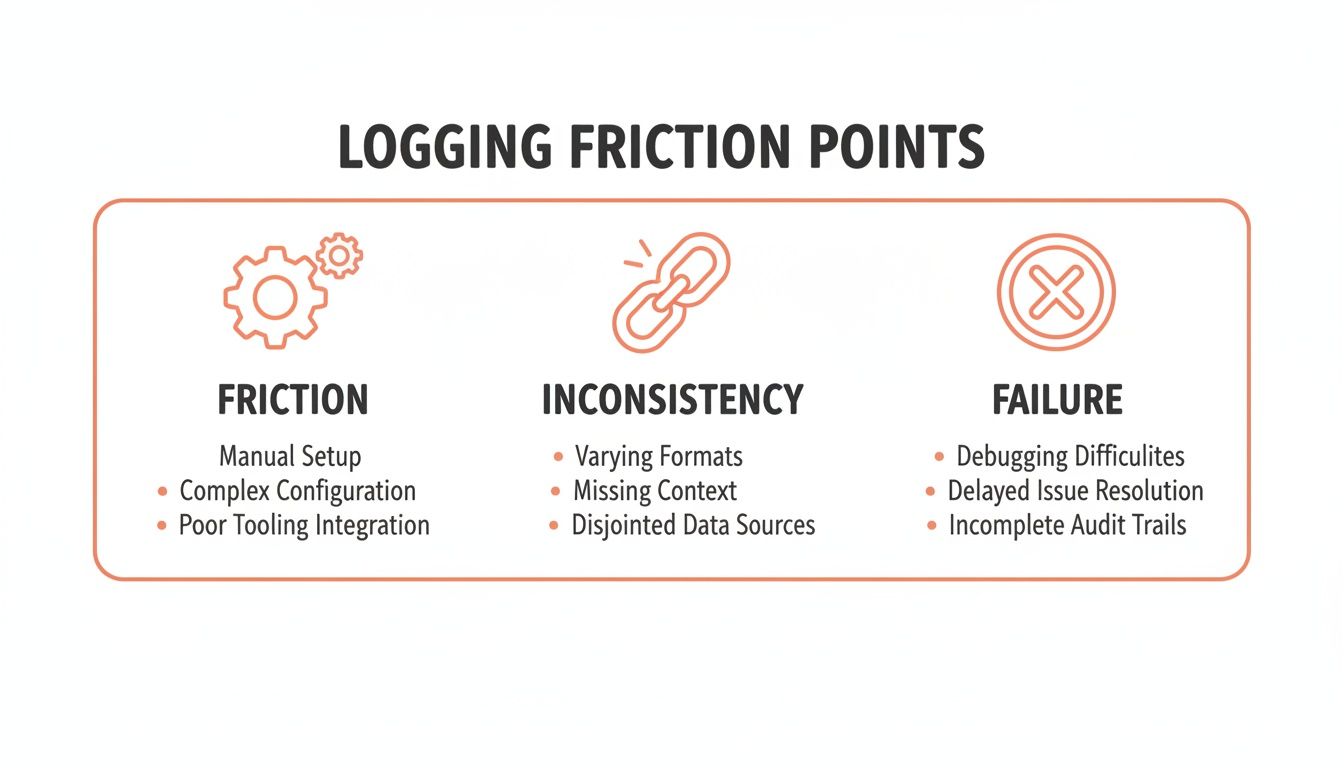
These friction points are exactly what each app is trying to solve, just in very different ways.
-
Cronometer delivers the highest level of verified accuracy. If you need to know your exact manganese or vitamin K intake, this is your tool. It's perfect for people with specific medical conditions or elite athletes fine-tuning their performance.
-
MyFitnessPal offers user-generated convenience. It's fast for scanning a bag of chips, but you have to be constantly vigilant. Research published in the journal Nutrients in 2020 confirmed what many users already knew: user-added entries in popular diet apps have significant error rates in calorie and macronutrient information.
-
MacroFactor strikes a great balance. It provides a clean, mostly accurate database that's built for speed, landing right between the Wild West of MFP and the clinical precision of Cronometer.
-
BiteKit introduces estimated accuracy. It uses AI to intelligently estimate your meal's macros. While it might not be as precise as weighing every raw ingredient, the goal is different. It aims to be consistent and reliable enough to drive real progress by removing the biggest hurdle: the tedious task of logging itself.
User Experience: Friction vs. Flow
Finally, how does the app feel to use? Is it a helpful partner or a nagging chore?
MyFitnessPal’s interface feels dated. It's cluttered with ads (on the free tier) and social features that can be distracting. Logging often involves navigating multiple screens and pop-ups, creating a ton of friction.
Cronometer provides a data-dense, almost clinical experience. It's incredibly powerful and has a clean layout, but it can easily overwhelm a beginner who just wants to track protein, carbs, and fat—not 82 different micronutrients.
MacroFactor is all about flow. The interface is minimal, fast, and logical. Every part of the app is designed to get you in, log your food, and get you out with zero fuss.
BiteKit focuses on creating an almost invisible experience. By using your phone's camera and microphone—tools you already use effortlessly—it weaves logging into your natural daily routine. The interface is minimal, showing only what's essential. This privacy-first design, with no accounts and local data storage, also removes a major point of friction for anyone wary of sharing their personal health data.
At the end of the day, the best macro app for you is the one that fits your priorities. If you need lab-grade accuracy, Cronometer is the undisputed champion. If you want a masterfully refined database experience with smart coaching, MacroFactor is an excellent choice.
But if your biggest obstacle has always been the time and hassle of manual logging, BiteKit’s AI-powered approach offers a truly modern solution to a very old problem.
How AI Is Revolutionizing Nutrition Tracking
For years, anyone who's tried to track their macros has known the biggest hurdle: the tedious, soul-crushing task of manual logging. We've all been there, searching for every last ingredient, estimating portion sizes, and wondering if it's even worth the effort. It was the number one reason people quit.
But that's finally changing. Artificial intelligence is solving the exact problems that made tracking feel like a chore. This isn't just about a fancier barcode scanner; it’s a complete shift in how we interact with our food data, making logging faster and more intuitive than ever before.
Beyond Barcodes and Databases
The first wave of macro apps was a step up from pen and paper, but they still relied on clunky search bars and huge, often inaccurate, databases. AI is pushing us past that friction with features that feel like they're straight out of science fiction.
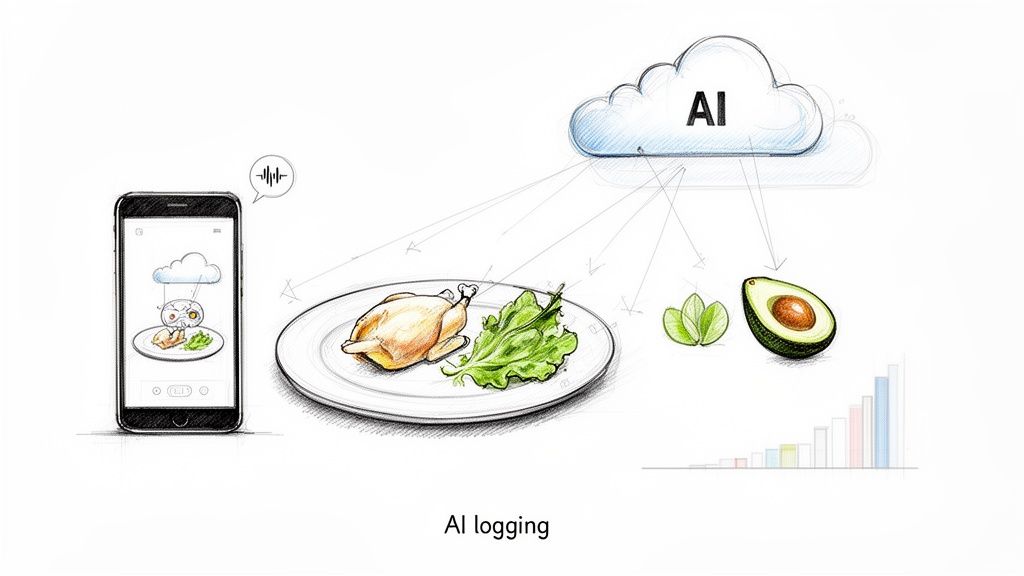
- Photo Logging: Instead of typing, you can now just snap a picture of your meal. The AI gets to work identifying the ingredients, whether it's a simple salad or a complex restaurant dish. This turns a five-minute task into a five-second one.
- Voice and Text Logging: With natural language processing (NLP), you can speak or type in plain English. Just say, "I had a protein shake with one scoop of whey and a banana," and the app parses it for you. It’s infinitely faster than searching for each item.
- Smart Suggestions: The more you log, the smarter the AI becomes. It quickly learns your favorite meals, common portions, and eating patterns, offering up predictive suggestions that make logging your go-to breakfast a one-tap affair.
These tools work together to make consistency almost effortless. We're seeing similar breakthroughs across the wellness space, including insights into how AI-powered training can revolutionize your workout by offering personalized plans. The goal is simple: make logging so fast you barely notice you're doing it.
From Manual Search to Instant Analysis
Let’s put this into a real-world context. Picture a healthy lunch: a salad with grilled chicken, avocado, cherry tomatoes, and a light vinaigrette.
The Old Way (Traditional App):
- Open app, tap "Add Food."
- Search for "grilled chicken breast."
- Scroll, select, and guess the portion size (4 ounces?).
- Repeat the entire process for avocado, tomatoes, and dressing.
- This could easily take 15–20 taps and a few minutes you'd rather spend eating.
The New Way (AI-Powered App like BiteKit):
- Open app, tap the camera icon.
- Snap a photo of your salad. The AI instantly identifies everything and suggests portions.
- Tap to confirm. You're done in as few as 3–4 taps.
This isn't just about saving a few minutes. That massive drop in friction is the secret to long-term success. When a task goes from tedious to simple, you build a sustainable habit that gets you the results you're after.
What About the Accuracy of AI?
It's a fair question: can an AI really be as accurate as weighing every gram of food on a scale?
Let’s be clear: for absolute peak precision, nothing beats a food scale and a verified database. However, research into AI-based dietary assessment is rapidly advancing. A 2022 study in the International Journal of Behavioral Nutrition and Physical Activity showed that image-based AI methods can achieve comparable accuracy to traditional dietary records for energy and macronutrient intake, but with significantly less user burden.
These AI models are trained on millions of food images and nutrition data points, and they’re designed for consistency. This reliable estimation is often more valuable for progress than one-off, perfectly measured meals. For anyone who has ever quit tracking out of sheer frustration, a consistent, nearly effortless AI log is infinitely more effective than the "perfect" method they couldn't stick with. You can see this tech in action with tools like BiteKit's AI meal analyzer.
At the end of the day, the best macro tracker is the one you actually use. By eliminating the biggest pain point—slow, manual data entry—AI-driven apps like BiteKit are finally making consistent tracking a realistic goal for everyone, not just elite athletes or the hyper-dedicated.
So, Which Macro Tracking App Is Actually Right for You?
We've broken down all the features and tech, but let's be honest—that information only matters if it helps you make a decision. The "best" macro app isn't the one with the longest feature list. It's the one that clicks with your lifestyle, your personality, and your goals so well that you actually use it.
To cut through the noise, let's look at who these apps are really for. See which one of these profiles sounds like you, and you'll know which tool will become a trusted partner instead of another daily chore.
The Busy Professional Who Needs Speed
Your schedule is relentless, and meals are often squeezed between meetings or eaten on the move. You simply don't have the patience for a clunky logging process that has you manually searching for every last ingredient. For you, efficiency is everything.
- Your Best Bet: BiteKit
- Why It Clicks: BiteKit was practically designed for this exact scenario. Its AI photo and voice logging can turn what used to be a five-minute task into a matter of seconds. Just snap a picture of your lunch or say, "I had a chicken salad and an apple," and you're done. It's worlds faster than digging through a database. The no-account, privacy-first setup also means you can get started instantly, with no new password to manage.
The Athlete Fine-Tuning for Performance
You treat your nutrition as a critical part of your training. Hitting your macros isn't just a suggestion; it directly impacts your performance, recovery, and body composition. You need data you can absolutely trust.
- Your Best Bet: Cronometer
- Why It Clicks: Cronometer’s absolute strength lies in its meticulously verified food database. Logging can sometimes feel a bit slower, but you're trading that for unmatched accuracy. When you need to know your exact intake of protein, electrolytes, or specific amino acids, that precision is non-negotiable. It gives you the solid data required to make those tiny, crucial adjustments to a high-performance diet.
The Health Enthusiast Focused on Micronutrients
You see the bigger picture beyond just protein, carbs, and fat. You're curious about your vitamin and mineral intake, aiming to ensure you're truly nourishing your body, not just hitting macro targets.
- Your Best Bet: Cronometer
- Why It Clicks: Much like for athletes, Cronometer’s ridiculously detailed and verified database is the clear winner here. It tracks over 80 different micronutrients, offering a comprehensive look at your nutritional health. If your main goal is to spot and fill any nutrient gaps in your diet, no other app provides this depth of reliable feedback.
The Beginner Trying to Build a Habit
You're new to this whole macro-tracking thing and, frankly, it feels a little intimidating. You don't need a mountain of complex data—you need a simple, encouraging tool that helps you build consistency without adding stress.
- Your Best Bets: MacroFactor or BiteKit
- Why They Click for Beginners:
- MacroFactor is fantastic for its clean interface and brilliant AI-powered coaching. It automatically adjusts your calorie and macro targets based on your actual progress. This takes all the guesswork out of the equation, which is a huge relief when you're just starting out.
- BiteKit helps beginners succeed by making the act of logging ridiculously easy. By removing the friction with fast AI logging, it helps you build that all-important daily habit from day one. You can focus on learning what's in your food without getting bogged down by a complicated app.
User retention data from 2025-2026 really tells the story. While MacroFactor earns its 4.9/5 star rating and sees 35% higher long-term use thanks to its smart coaching, industry-wide stats also show that 70% of users give up on tracking apps within two weeks because they're too complicated. Speed and simplicity win. You can dig into the latest app store ratings and feedback right on the App Store.
At the end of the day, success comes down to one thing: consistency. And before you can be consistent, you need a clear starting point. Using a solid tool to calculate your ideal macro intake is the first, most important step toward making any of these apps work for you.
Frequently Asked Questions About Macro Tracking
If you're new to tracking macros, you've probably got a few questions. It’s a powerful tool, but it's easy to get bogged down in the details before you even start. Let's clear up some of the most common concerns I hear from people, so you can start with confidence.
Are Free Macro Tracking Apps Good Enough?
Free apps can be a solid place to begin, especially if you’re just getting a feel for your daily calorie intake. Think of them as a basic entry point. But the reality is, they almost always come with compromises.
You'll likely be dealing with a constant stream of ads that interrupt the very task you're trying to do quickly. More importantly, crucial features—like a barcode scanner, custom macro goals, or insightful progress reports—are typically locked behind a subscription. For a few dollars a month, a premium app gives you an ad-free experience and the advanced tools you need to track efficiently, which is a small price for saving time and frustration.
Should I Choose an App with a Huge or a Verified Database?
This really comes down to what you're trying to achieve and how much you can tolerate potential errors. An app with a massive, user-generated food database is incredibly convenient. You can find just about any food brand or restaurant dish you can think of.
The problem? Those user-submitted entries are notorious for being inaccurate or incomplete. If you’re just aiming for general awareness of your eating habits, that might be fine. But if you’re an athlete, managing a health condition, or dialing in your physique, accuracy is everything. A smaller, professionally verified database provides data you can actually trust. The new wave of AI-powered apps is trying to solve this by analyzing food directly, aiming to give you both convenience and accuracy without relying solely on a database.
How Accurate Does My Logging Need to Be?
So many beginners get completely derailed by aiming for perfection. This is the biggest mistake you can make. The goal isn’t to become a food-weighing robot; it's to build a sustainable habit.
A study on dietary self-monitoring revealed that consistency—not perfect accuracy—was the single greatest predictor of long-term weight management success. Being 85% accurate every single day is far more effective than being 100% accurate for three days and then quitting out of sheer exhaustion.
Focus on being consistently "good enough." Don't sweat it if you have to estimate your dinner at a restaurant or can't weigh every single ingredient in a homemade dish. The real power of tracking comes from the big-picture data you collect over weeks and months, not from one perfectly logged meal.
How Long Should I Track My Macros to See Results?
Everyone's timeline is different, but a great initial goal is to track consistently for 2 to 4 weeks. This period is long enough to accomplish a few important things:
- Build Awareness: You’ll get a crystal-clear picture of your current eating habits and what your portion sizes actually look like.
- Establish a Routine: After a few weeks, the daily act of logging will start to feel natural and less like a chore.
- Identify Patterns: You’ll start connecting the dots between what you eat and how you feel, perform, and progress toward your goals.
After that initial phase, tracking becomes a flexible tool you can use as needed. Some people continue tracking to stay sharp, while others use their newfound knowledge to eat more intuitively. They might only pull the app back out for a quick "tune-up" when their goals shift.
Before you can use any app effectively, you need to know your targets. Using a good macro calculator is the best way to get personalized numbers based on your body, activity, and goals. Starting with the right targets is the foundation for your success.