Photo Calorie Counter: The Science Behind Smarter Nutrition in 2026
See how a photo calorie counter uses AI for easy nutrition tracking. Explore its tech, real-world accuracy, and practical benefits. Transform your diet!
If you've ever tried to track your calories, you know the drill. You find yourself endlessly scrolling through food databases, second-guessing portion sizes, and trying to deconstruct a restaurant meal into its base ingredients. It’s a tedious, frustrating process that often feels more like a chore than a tool for better health. But what if you could bypass all that with a single photo?
Ditching Manual Food Logging: A Necessary Evolution
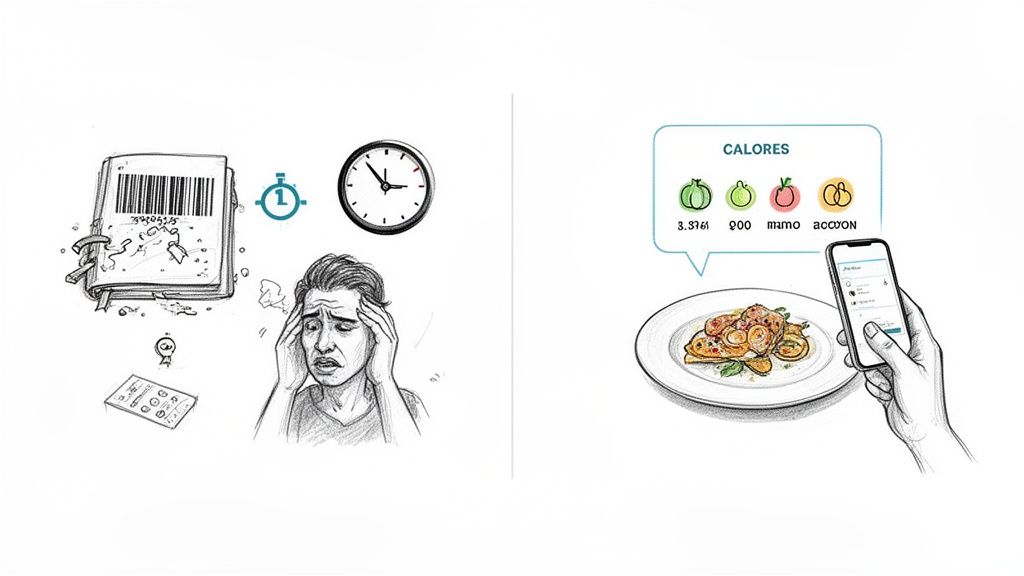
Traditional calorie counting is fundamentally flawed. For years, the only option was to grapple with clumsy apps and their massive, often unreliable food lists. You’d spend precious minutes just trying to log a simple lunch, searching for "grilled chicken breast, 6 oz" or giving up on tracking your homemade soup altogether.
This friction isn't just about wasted time; it's about the inherent inaccuracies that can quietly sabotage your health goals. Human estimation of portion sizes is notoriously poor, we often forget the small snacks and drinks, and user-submitted database entries can be wildly incorrect. It's a recipe for burnout and a significant reason why so many people abandon tracking.
Why Traditional Tracking Fails Based on Evidence
The friction of old-school calorie counting creates scientifically-backed roadblocks:
- It’s incredibly time-consuming. Research indicates that detailed manual logging can consume over 15 minutes per day, a significant barrier to long-term adherence.
- Adherence is low. Studies consistently show that the high burden of manual tracking leads to high dropout rates, often within the first few weeks.
- The data is often wrong. Scientific reviews have found that self-reported dietary intake, especially with guesstimated portion sizes, can lead to underestimations of actual calorie intake by 20% or more.
This is exactly where a photo calorie counter represents a paradigm shift. Instead of typing, searching, and guessing, you just take a picture. The technology does the heavy lifting, identifying the food and estimating the portions for you. What was once a frustrating chore becomes a seamless, two-second habit. If you want to dive deeper, you can find more tips for an easy way to count calories that work well with this modern approach.
This is about more than just convenience—it’s about consistency. When logging is effortless, it becomes a sustainable part of your routine, empowering you to make smart choices without the daily grind.
How AI Turns Your Meal Photo Into Nutritional Data
Ever wondered what’s really going on when you snap a picture of your lunch and an app spits out the calorie count? It might feel like digital sorcery, but it's actually a fascinating two-step process powered by advanced computer vision and machine learning.
Think of it this way: the app acts like a digital nutritionist that has studied millions of meals. When it sees your photo, it first has to figure out what you're eating. This is the image recognition phase.
First: Seeing and Identifying the Food
The moment you take a photo, the AI gets to work, employing sophisticated models to identify every single item on your plate. It doesn't just see "a meal"; it uses a technique called semantic segmentation to break it down into individual components.
Let's say you're having a healthy dinner. The AI would:
- Pinpoint the main protein, like a grilled chicken breast.
- Distinguish the grain, perhaps a scoop of quinoa next to it.
- Isolate the vegetables, like the individual asparagus spears.
This isn't just a random guess based on color. The AI analyzes subtle visual cues—texture, shape, and even how the light reflects off the food—to make a surprisingly accurate identification. The core technology that allows an app to "see" your food in this way is complex, and if you're curious about the fundamentals, this piece on understanding Image to Image AI is a great starting point.
But knowing what's on the plate is only half the battle. The next, and arguably trickier, part is figuring out how much is there.
Next: Estimating the Portion Size
This is where things get really clever. Identifying a piece of chicken is one thing, but knowing if it’s 4 ounces or 8 ounces is what really matters for an accurate calorie count. This is handled by portion estimation algorithms.
These algorithms use the 2D image to create a 3D model of your meal. By using the plate as a reference point or even tapping into your phone’s depth-sensing cameras, the AI calculates the volume of each food item. It essentially turns a flat picture into a set of measurements, estimating the weight in grams or ounces.
Want to see this in action for yourself? You can test out our own AI photo analyzer and see how it dissects a meal.
It's this one-two punch of precise food identification and sophisticated volumetric analysis that allows the AI to turn a simple photo into a detailed nutritional breakdown of calories, protein, carbs, and fat.
Ultimately, this process takes the stressful guesswork out of logging your food. Instead of agonizing over measurements and searching through databases, you get a data-driven estimate in seconds. This is what makes a photo-based counter such a powerful ally in reaching your health goals.
Just How Accurate Is AI Calorie Counting?
This is the million-dollar question, isn't it? When it comes to any photo calorie counter, the first thing everyone wants to know is whether you can actually trust the numbers it gives you. An inaccurate tracker can do more harm than good, so it's a valid concern.
The short answer is yes—the technology has become remarkably reliable. We've moved past the early days when AI food analysis was more of a fun gimmick. Today's AI is proving to be a surprisingly consistent and reliable alternative to old-school manual logging.
Consider this: when we try to eyeball portion sizes, we're often way off. Scientific studies consistently show human estimation can have error rates of 20-30%. AI, on the other hand, brings a level of data-driven analysis that our brains just can't match.
Breakthroughs in AI Precision
Recent developments have really pushed the boundaries of what these apps can do. For example, a Canadian research team in May 2024 built a new AI model that cut calorie prediction errors by 25.5% over the previous best systems. This wasn't just a simple calorie guess; the tool uses depth perception from a single photo to estimate the meal's mass and breakdown of protein, fat, and carbs. The result? It brought the error margin down to less than 150 kcal per meal, a huge leap forward in accuracy.
This process of turning a picture into data might seem like magic, but it’s actually a pretty logical flow.
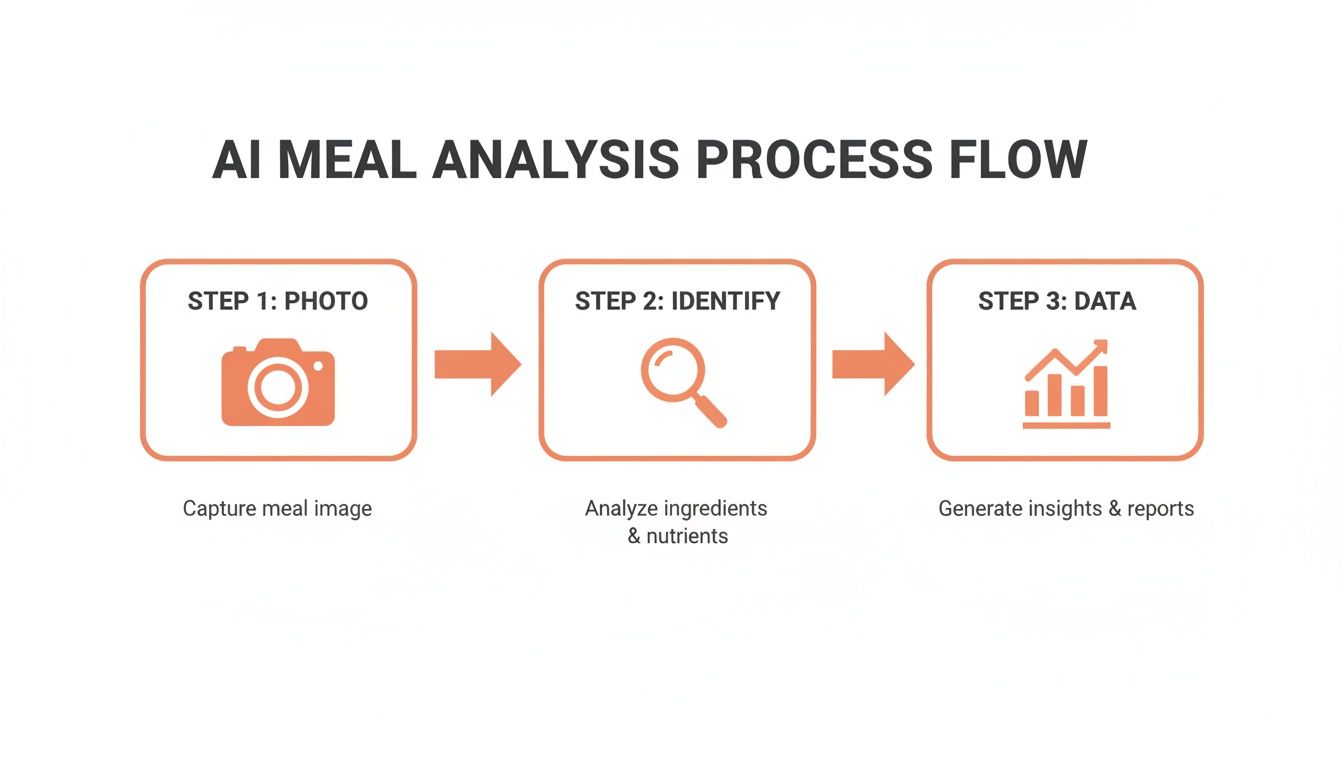
First, you snap the photo. The AI then gets to work identifying every visible item on your plate before running the numbers to calculate the final nutritional info.
Calorie Estimation Accuracy: Manual vs. AI
To put this in perspective, let’s compare the accuracy of old-school manual logging with what modern AI can achieve. Both methods have their strengths and weaknesses, especially when dealing with complex, multi-ingredient meals.
| Tracking Method | Average Error Margin (Complex Meal) | Key Challenges | Best For |
|---|---|---|---|
| Manual Logging | 15% - 30% | Under/overestimating portion sizes, forgetting ingredients, brand-specific nutritional differences. | People who enjoy detailed data entry and have a good sense of portion sizes. |
| AI Photo Counter | 10% - 20% | Hidden ingredients (oils, sugar), poor lighting, complex mixed dishes (e.g., stews). | People seeking speed, consistency, and a good-enough baseline for daily tracking. |
As you can see, while neither method is perfect, AI significantly reduces the high-end error margin common with human guesswork. It provides a more consistent starting point, which is crucial for long-term tracking.
Factors That Influence Accuracy
Even the smartest AI isn't a mind reader, and a few things can throw off its calculations. If you keep these in mind, you'll get much more reliable results from your photo calorie counter.
- Lighting and Photo Quality: The AI needs to "see" your food clearly. Take your pictures in good light and from a 45-degree angle. Blurry, dark, or poorly-angled photos make it hard for the AI to identify what it's looking at.
- Food Arrangement: A plate where every ingredient is distinct and visible is an easy win. A jumbled-up stew, casserole, or burrito bowl is much tougher to analyze. When you can, try to spread things out a bit.
- Hidden Ingredients: This is the big one. The AI can't see the oil you cooked with, the butter you melted on your veggies, or the sugar you stirred into your sauce. These can add hundreds of calories, so a quick manual tweak is sometimes needed. For more on this, our guide on how to calculate calories in homemade food is a great resource.
The main takeaway is this: use the AI to get a highly accurate baseline. Then, with a clear photo and a quick adjustment for any hidden fats or sauces, you can achieve a level of precision that’s almost impossible to match with manual logging alone.
As this technology gets smarter, it’s also helping to clear up a lot of the confusion and myths surrounding nutrition. When you have a more accurate picture of what you're eating, you can make better decisions, a point often highlighted in articles like Diet Myths Exposed. Remember, the goal is always consistency over perfection, and AI makes staying consistent easier than ever before.
Real-World Applications for Diverse Health Goals
A photo calorie counter is much more than a simple number-crunching gadget. Its real strength is how it adapts to different goals and lifestyles, fitting into the nooks and crannies of your actual day.
Whether you're a dedicated athlete, a professional with a packed schedule, or just starting to pay attention to your nutrition, this kind of tool has a practical role to play. The magic is in its speed and convenience—it removes the tiny points of friction that often cause us to give up on tracking altogether.
For the Busy Professional
When your calendar is a wall-to-wall Tetris game of meetings, the last thing you need is another tedious task. This is where a photo-based logger truly shines, especially when you're dining out or grabbing a quick bite. Instead of fumbling with search bars and guessing ingredients, you can log an entire meal in the few seconds it takes to snap a photo.
This instant feedback keeps you mindful without derailing your day. It turns what was once a chore into a sustainable habit, making consistency possible even on the most hectic days.
Imagine logging a complex restaurant meal with a single photo. That efficiency is the key to sticking with your nutritional goals without adding more stress to your day.
For the Fitness Enthusiast
If you're training for performance or trying to change your body composition, you know that macronutrients are just as critical as calories. Hitting your protein, carb, and fat targets is non-negotiable for muscle growth, energy, and proper recovery.
Think of a photo logger as your nutritional spotter. After a tough workout, you can snap a picture of your post-training meal and see instantly if you've hit your protein goal. This immediate confirmation helps ensure you're giving your body exactly what it needs to repair and get stronger. Over time, you can look back at your photo log and fine-tune your nutrition to perfectly support your training.
For the Nutrition Newcomer
Getting started on a health journey can feel like learning a new language. Suddenly you're dealing with portion sizes, nutrient density, and balanced meals—it's a lot to take in. A photo calorie counter acts like a visual guide, almost like having a nutrition coach in your pocket.
By creating a photo food diary, you start to see your habits from a new perspective. A visual log is incredibly powerful for spotting patterns you'd otherwise miss.
- Revealing Patterns: You might look back and realize your lunches are always heavy on carbs, explaining that familiar afternoon slump.
- Building Awareness: Or you might see that your dinners consistently lack enough vegetables, which could be impacting your digestion and energy.
This visual feedback loop helps you connect the dots between what you eat and how you feel. It’s not just about counting; it’s about understanding your own patterns so you can make small, smart changes that stick.
Spotlight On BiteKit: Fast and Private Tracking
With so many apps clamoring for a spot on your phone, picking the right photo calorie counter can feel like a chore. But if you look closely, you’ll find that most people give up on tracking for two simple reasons: it’s too slow, and they don't trust the app with their data. That's where BiteKit comes in, built from the ground up to solve these exact problems with a focus on speed, simplicity, and total privacy.
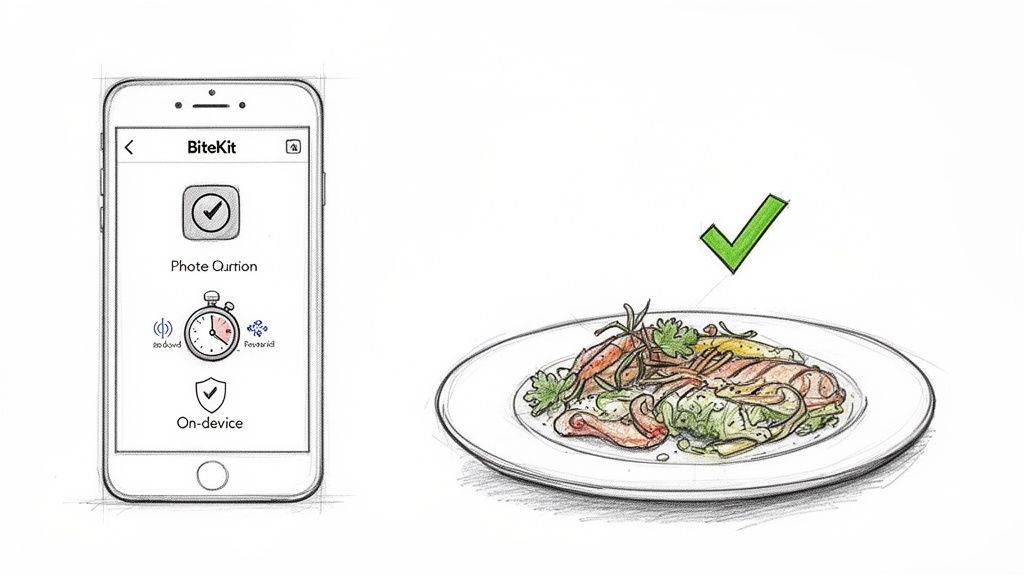
The whole point of BiteKit is to be the fastest way to log your food. Full stop. The idea is to make tracking so quick and painless that it just becomes part of your routine, not another task on your to-do list. It gives you a few different ways to log, so you can always use whatever method makes the most sense in the moment.
Multiple Ways to Log in Seconds
If you’re going to stick with something, it has to be flexible. BiteKit gets this and offers three dead-simple ways to log your meals, wiping out any excuse you might have to skip it.
- Photo Logging: This is the magic. Just snap a photo of your meal. The app’s AI looks at the picture, figures out what you’re eating and how much is on the plate, and gives you the nutritional info. It’s a lifesaver for those complex home-cooked dinners or restaurant dishes.
- Voice Commands: On the go? Just talk to the app. Saying something like, “an apple and a handful of almonds” or “200g of chicken breast with broccoli” is all it takes. The app understands what you mean and logs it with surprisingly good accuracy.
- Natural Language Text: If you’d rather type, you can just write it out like you’re sending a text. A quick note like “my morning coffee with a splash of milk and a banana” is instantly understood and added to your daily log.
This flexibility means you can log a snack while you’re out for a walk, a complicated dinner at a restaurant, or your usual desk lunch with the same amount of effort—basically, none. The entire app is designed to get you in and out, eliminating endless scrolling, searching, and guessing.
A Truly Privacy-First Approach
Let’s be honest: in today's world, our data is a product. Your personal health information is extremely valuable, and most fitness apps know it. They often require an account, syncing all your meal habits and health stats to their servers. In fact, studies show that fears over data sharing cause up to a 40% user dropout rate for some nutrition apps.
BiteKit takes a completely different path, one that puts your privacy above all else.
There are no accounts to create. No cloud sync. No servers storing your meal history. All of your data lives exclusively and securely on your device.
This isn't just a feature; it's a core philosophy. It means you can track your nutrition with complete confidence, knowing that your personal journey stays personal. For anyone who values their digital privacy but still wants the powerful benefits of an AI-driven photo calorie counter, this is a game-changer.
By blending lightning-fast logging with a strict no-compromises stance on privacy, BiteKit provides a smarter, safer, and more sustainable way to manage your nutrition. It’s a tool made for the real world—one that respects both your time and your data.
The Journey From Human Error To AI Precision
If you’ve ever tried to count calories the old-fashioned way, you know the frustration. For decades, we’ve relied on a system built entirely on guesswork—and frankly, we humans are terrible at it. We just aren't wired to accurately eyeball portion sizes or remember every last ingredient that went into our lunch.
This isn't a knock on our effort; it's just a reality of how our brains work. Our perception is easily tricked, which has always been the biggest hurdle for anyone serious about tracking their diet. This is the exact problem that AI-powered tools were created to fix.
The Limits Of The Human Eye
The real challenge with manual tracking is that our eyes can be deceiving. A pile of pasta looks completely different depending on the shape of the bowl. And that "tablespoon" of peanut butter? It can easily swing by 50 calories or more from one person to the next. These little miscalculations seem minor, but they add up fast, often throwing your daily total off by hundreds of calories.
This isn't just anecdotal. A landmark 2018 study dug into just how bad we are at estimating calories from photos. It found that a group of ten people working together was more accurate than individual nutrition experts. The research uncovered consistent biases, like our tendency to overestimate calories in foods we think are "unhealthy" or energy-dense.
Even more surprising? When people used common items like credit cards to judge scale, their estimates actually got worse. You can dive into the full study on the challenges of human food estimation at JMIR mHealth and uHealth.
The takeaway was crystal clear: the problem was never the logbook or the app. The weak link has always been us—the human user. The entire system was limited by our built-in biases and flawed perception.
Looking back, it’s obvious that a change was needed. To get truly accurate nutrition data, we had to move beyond our own unreliable guesswork and embrace a more objective, consistent method. This set the stage for AI, which could finally analyze a meal with a level of precision we could never achieve on our own.
Frequently Asked Questions
As you start using a photo calorie counter, a few common questions are bound to pop up. It's a new way of doing things, after all. Let's walk through some of the most frequent ones I hear from people just getting started.
How Does The App Handle Homemade Meals?
This is where the magic really happens. The AI has been trained by analyzing millions of food images, so it's gotten remarkably good at identifying individual ingredients, even in a complex dish like a homemade chili or a vegetable stir-fry.
When you snap a photo, it picks out what it can see—the beef, the beans, the onions—and estimates the amounts. From there, you can quickly step in to fine-tune the entry, maybe adding a note about a specific ingredient it couldn't see. It's a fantastic partnership between AI speed and your own knowledge.
What Happens If The AI Misidentifies An Item?
No AI is perfect, and mix-ups will happen. Maybe it thinks your sweet potato wedges are standard french fries. Good apps are built for this. You can simply tap on the incorrect item and search for the right one in the database.
Think of it as teaching your app. Every time you make a correction, you're providing valuable feedback that helps the underlying model get smarter and more accurate for everyone.
Can It Accurately Account For Oils And Sauces?
That’s the million-dollar question, and one of the toughest challenges in this space. The AI can often spot a sauce or a glossy sheen from oil and make an educated guess, but it has no way of knowing about the two tablespoons of olive oil you used to sauté your vegetables.
The huge demand for these apps is fueling major progress here. A recent TechCrunch report noted how one app, Cal AI, shot past 5 million downloads in under a year, proving people are hungry for this tech. Interestingly, that same report found a 40% user dropout rate on some apps because of privacy fears—an issue that on-device apps like BiteKit directly address.
For now, the best practice is to manually add any "hidden" fats and oils. It’s a small extra step that ensures your log is as accurate as possible.