Finding the Best Calorie Tracking App of 2026
Discover the best calorie tracking app for your goals. We compare top apps on accuracy, ease of use, and AI features to help you choose the right tool.

When it comes to finding the best calorie tracking app, it all boils down to one thing: consistency. Plenty of apps like BiteKit, MyFitnessPal, and Lose It! are packed with features, but the ones that actually work are those that make tracking feel less like a chore and more like a simple, everyday habit.
Why Modern Calorie Tracking Is More Than Just Numbers
The core idea behind weight management has always been energy balance. It's a fundamental principle of thermodynamics applied to human physiology: if you consume more energy (calories) than you expend, you gain weight. If you consume less, you lose it. This principle is why tracking calories remains one of the most effective, evidence-based strategies for anyone serious about their nutrition. For a long time, this meant carrying around a notepad and pen, a tedious task that was easy to give up on.
Then, smartphones changed everything. Suddenly, calorie tracking was in everyone's pocket. The market for these apps exploded, hitting $4.8 billion in 2024 and on track to reach $14.2 billion by 2033, largely because more people are focused on their long-term health. With smartphone use at 82.2% in the U.S., the tools are right there, but a huge hurdle still exists. You can read more about the growth of the nutrition app market and see the trends for yourself.
Even with slick interfaces, older apps still created a lot of friction. Having to manually search for every food, scan every barcode, and guess every portion size gets old fast. This is exactly why a staggering 70-80% of people stop tracking after just a few weeks. The effort just doesn't feel worth it, so they fall off the wagon. It’s this exact problem that the new wave of smarter apps is built to solve.
The journey from pen and paper to a truly intelligent app is about removing that friction.
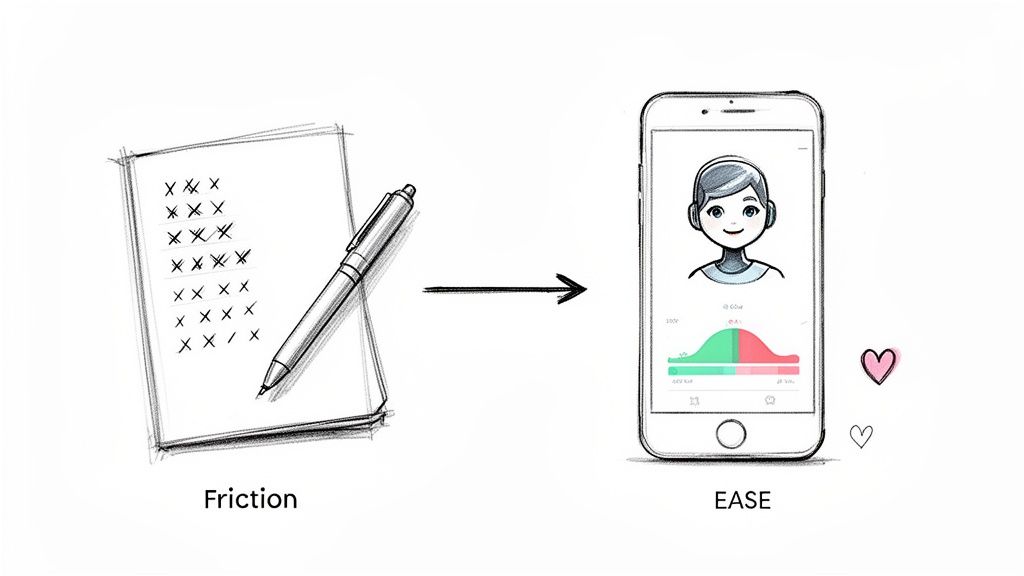
This image perfectly captures the goal: to make logging food so easy you barely have to think about it.
The Shift to Intelligent Nutrition Management
Today’s best calorie tracking apps are so much more than digital diaries; they're becoming intelligent nutrition assistants. Using AI, they’re designed to slash the time and mental energy it takes to log a meal, turning the entire process into something you can do in seconds.
The point of a modern tracking app isn't just to add up numbers. It’s to make the act of logging so frictionless that sticking with it becomes second nature. This is where AI is a game-changer.
Instead of hunting through databases, you can now just:
- Snap a photo of your plate and let the app figure out what’s on it.
- Say what you ate out loud, like, "a bowl of oatmeal with blueberries and almonds."
- Type a quick sentence and watch the app break it down for you.
This move from manual entry to automated analysis is a fundamental change. By taking away the biggest reasons people quit, these newer apps give you a real shot at building habits that last. They deliver the insights you need to manage your health without the burnout that came with older, clunkier methods. This guide will walk you through which of these tools actually deliver on that promise.
The Core Features That Define a Great Nutrition App
Before you can find the best calorie tracking app, you need to know what you’re looking for. What does "best" even mean? It’s not about having the biggest food database or the most colorful charts. The features that actually matter are the ones that make tracking a habit you can stick with for the long haul.
Without the right tools, tracking becomes a chore, and even the best intentions will fizzle out.
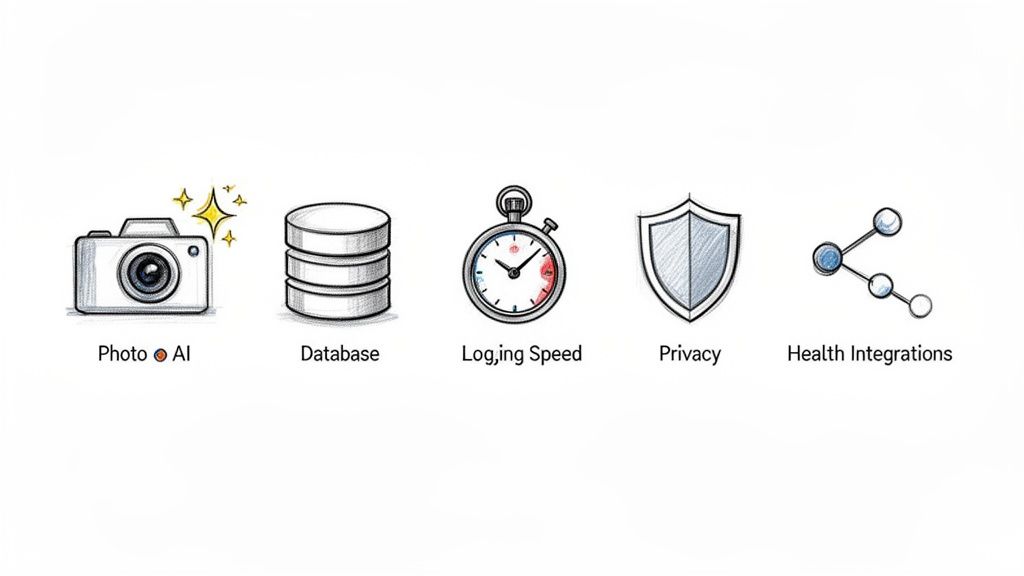
Let's break down the components that separate the truly great apps from the merely average ones. This is your checklist for judging any option on the market.
Speed and Method of Logging
The single biggest predictor of success is how fast you can log a meal. Seriously. If it takes five minutes of tapping and searching to record your lunch, you're not going to do it for long. This is where modern, AI-powered apps completely change the game compared to older systems built around barcode scanners and manual searches.
The fastest logging methods today are:
- Photo AI Logging: Just snap a picture of your plate. The app should be smart enough to identify the food, estimate the portions, and do the math for you. It's the most intuitive way to log.
- Voice Logging: Say something like, "I had 150 grams of Greek yogurt with a banana and a tablespoon of honey," and the app should turn that into a perfect entry.
- Natural Language Text: Similar to voice, but you type a quick sentence describing what you ate, and the app breaks it down for you.
Contrast that with the old way: manually searching for every single ingredient, fiddling with serving sizes, and adding them one by one. The daily friction adds up fast.
Database Quality and Accuracy
An app is only as good as its data. A solid database is a must-have, but size isn't everything. You need accuracy, verified entries, and food that's actually relevant to how you eat. Some apps rely on huge, user-generated libraries, which are often a mess of errors and duplicate entries.
One scientific study found that AI food recognition can hit an accuracy rate as high as 97% for single foods under the right conditions. But identifying the food is only half the battle. The app also has to nail the portion size, which is where many systems stumble. The best apps combine a verified database with smart AI that gets better at its suggestions the more you use it.
User Interface and Experience (UI/UX)
A clean, intuitive interface is non-negotiable. You should be able to open the app and see your daily status—calories, macros, and other goals—in a single glance. A cluttered screen Bombarded with ads, confusing graphs, and social feeds just makes the simple act of logging feel like a project.
The whole point of a great UI is to get you in and out of the app as fast as possible. The less time you spend logging, the more likely you are to actually do it.
Look for a clear daily dashboard, straightforward navigation, and the fewest possible taps to get things done. If you want to dive deeper into efficient tracking methods, our guide on the best way to track food intake has more practical tips.
Privacy and Data Security
In a world where data is currency, you need to know what's happening with your personal information. Most popular apps force you to create an account, which means your eating habits, weight, and health data are all stored on their servers.
If you care about privacy, look for apps that work without an account and store everything locally on your device. This gives you a massive advantage: your sensitive health information stays yours, and yours alone. Always read the privacy policy before you commit.
Comparing the Top Calorie Tracking Apps
Trying to find the right calorie tracking app can feel like a chore in itself. There are dozens of them out there, and they all claim to be the best. But the real test isn't what their feature list says—it's how the app actually fits into your life day after day.
Let's cut to the chase and compare the old guard, like MyFitnessPal and Lose It!, with a newer AI-first tool like BiteKit. The goal here is to focus on what it's really like to use them.
The Legacy Giants: MyFitnessPal and Lose It!
MyFitnessPal and Lose It! are the apps that started it all. They practically invented digital nutrition tracking. Their biggest advantage? Huge, community-built food databases and years of user trust. For a long time, they were the only game in town.
The numbers are pretty staggering. MyFitnessPal is a behemoth, with over 200 million downloads and 85 million people using it every month. Lose It! is no slouch either, with 40 million downloads and a community that has lost a combined 80 million pounds. These apps have clearly worked for a lot of people, a trend you can see in these broader diet and nutrition app statistics.
But here’s the catch: they were built around a manual-first mindset. The entire experience is about you doing the work—searching for foods, scanning barcodes, and typing in ingredients one by one. It’s thorough, but it’s also a grind that often leads to people giving up.
What MyFitnessPal does well:
- Massive Food Database: Its library is enormous, filled with millions of user-submitted foods.
- Strong Community Features: If you like sharing your journey, its forums and blogs offer plenty of support.
- Extensive Integrations: It connects to just about every fitness gadget and app you can think of.
What Lose It! does well:
- Clean User Interface: Many people find its design less cluttered and more straightforward than MyFitnessPal.
- Effective Goal Setting: It's great at helping you set a weight loss goal and visually tracking your progress toward it.
These apps get the job done if you have the discipline. But logging a simple homemade meal means searching for and adding five, six, or even more separate ingredients. That can easily take a few minutes you don't always have.
The AI-Powered Challenger: BiteKit
This is where newer apps like BiteKit come in. They were designed from the ground up to solve the biggest reason people quit tracking: friction. Instead of making you hunt through a database, BiteKit uses AI to make logging almost instant. This completely changes the feel of tracking from a data-entry chore to a quick, simple action.
The whole idea is to get rid of the annoying steps between eating and logging. With BiteKit, you can just snap a picture of your plate, say what you ate out loud, or type a quick note. The AI figures out the food, estimates the portion size, and does the math for you.
The critical differentiator is speed and cognitive load. Legacy apps ask, "What did you eat? Now find it." AI-native apps like BiteKit simply ask, "What did you eat? Show me," and do the work for you. A five-minute logging process becomes a five-second one.
This approach is also built for people who care about efficiency and privacy. BiteKit works without an account, keeping all your data stored locally on your phone. That’s a world away from platforms that hold your sensitive health information on their servers.
For a clearer picture, let's look at how these different philosophies play out in a side-by-side comparison.
Feature Comparison: Legacy Apps vs. AI Coach
| Feature | MyFitnessPal / Lose It! | BiteKit (AI Coach) |
|---|---|---|
| Primary Input Method | Manual search, barcode scanning | Photo, voice, and text parsing |
| Logging Speed | 2-5 minutes per meal | 5-30 seconds per meal |
| User Effort | High: requires searching & selecting | Low: requires a photo & confirmation |
| Recipe Handling | Manual recipe builder (ingredient by ingredient) | AI-driven meal deconstruction from a photo or description |
| Privacy Model | Cloud-based, account required | On-device, no account needed |
| Core Technology | Massive, user-generated database | Computer vision and Natural Language Processing (NLP) |
This table shows a fundamental split: the legacy apps give you a powerful database and ask you to do the work, while an AI coach like BiteKit uses technology to do that work for you.
Head-to-Head: Use Case Scenarios
Feature lists only tell half the story. Let's see how these apps handle a couple of real-world situations, because the best app is the one that doesn't get in your way.
Scenario 1: The Busy Professional's Lunch
You just had a quick salad at your desk—grilled chicken, avocado, and a light vinaigrette. Time to log it.
- With MyFitnessPal/Lose It!: You open the app and start the search. "Grilled chicken breast"... scroll, find the right one. "Avocado"... guess the amount. "Mixed greens"... another search. You just spent 3-5 minutes assembling your meal digitally.
- With BiteKit: You open the app and take a single picture of your salad. The AI instantly identifies the main ingredients, estimates the portions, and gives you a complete entry to approve. The whole thing takes less than 30 seconds.
When you're short on time, that's a huge difference. It's what separates a habit you can stick with from a chore you’ll eventually skip. If speed is your priority, you may want to check out our guide on the best free nutrition tracking apps.
Scenario 2: The Home Cook's Dinner
Tonight you made a hearty beef stew with potatoes, carrots, and onions.
- With MyFitnessPal/Lose It!: The "right" way to do this is to use the recipe builder. You’d have to manually search for and add every single raw ingredient—beef, potatoes, carrots, broth, spices—and then tell it how many servings the recipe makes. It’s very accurate but takes a lot of upfront effort.
- With BiteKit: You snap a photo of your bowl. The AI identifies the main components and gives you a solid estimate. For more precision, you could use your voice: "A bowl of beef stew with about 150 grams of beef, one potato, and carrots." The app understands and logs it instantly, no recipe building required.
While the manual recipe feature offers perfect accuracy, the AI approach gives you a "good enough" log with almost zero work. For most people who aren't planning every meal down to the gram, that's a much more sustainable way to track consistently.
How to Choose the Right App for Your Lifestyle
Picking the right calorie tracker isn't about finding the "best" app—it's about finding the best app for you. The perfect tool should fit into your daily life so seamlessly you barely notice it's there. What works for a competitive athlete tracking every last gram of protein could be a nightmare for a busy parent who just needs to log lunch in under a minute.
Success comes down to finding an app that feels less like a chore and more like a helpful partner. To do that, you have to look past a simple feature list and think about how it will actually feel to use it day in and day out.
This little decision tree can help you instantly see which path makes the most sense based on how you prefer to log your food.
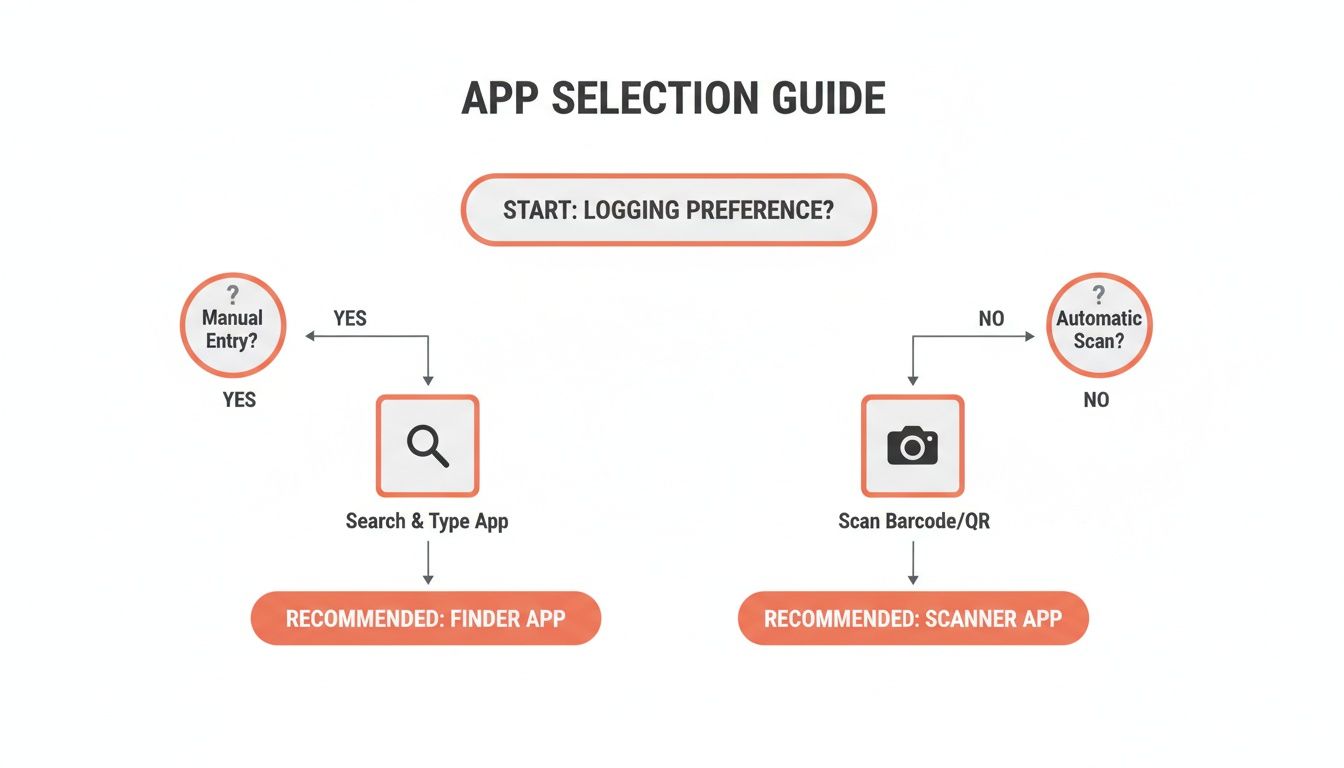
As you can see, it really boils down to one question: do you prefer the control of manual entry, or do you value the speed of automation? Your answer points you toward a whole different category of apps.
For the Busy Professional: Speed Is Everything
If your calendar is a wall of back-to-back meetings, the idea of spending even five minutes manually searching for ingredients is laughable. You need an app that gets the job done and lets you get on with your day. If it's not fast, you're just not going to use it.
Your ideal app is all about efficiency.
- Best Logging Method: Photo or voice. Just snap a picture of your meal or say what you ate and let the app figure it out.
- Must-Have Feature: A super clean interface. No distracting community posts or overly complicated charts, just a simple dashboard showing you what matters.
This is where a tool like BiteKit really shines. Its AI-powered photo and voice logging can take what is normally a multi-minute task and shrink it to less than 30 seconds. That time savings is the difference between sticking with your goals and giving up after a week.
For the Athlete: Precision Is Paramount
For athletes and serious fitness buffs, "close enough" just doesn't cut it. Your performance depends on hitting specific macronutrient targets—protein for recovery, carbs for energy—so your app needs to be dead-on accurate.
For an athlete, a calorie tracker is a performance tool, not just a food diary. The ability to meticulously track macros and micronutrients can be the difference between hitting a new PR and hitting a plateau.
Your app has to offer granular control and deep insights.
- Best Logging Method: A massive, verified food database paired with a flexible manual entry system for dialing in exact portion sizes.
- Must-Have Feature: Detailed macro and micronutrient tracking, customizable goals, and a way to easily build and save complex homemade recipes with precise ingredient weights.
This is where established apps like MyFitnessPal have historically been strong. Their huge databases and robust recipe builders give you the meticulous control needed to support a serious training regimen.
For the Privacy-Focused Individual: Data Security Is Key
In an era where our data is everywhere, a lot of us are getting more cautious about who we share our sensitive health information with. If you value your privacy, the top priority is finding an app that keeps your data where it belongs: with you.
This is a huge, often-overlooked factor. The market, which accounts for a 36.4% global revenue share in North America alone, is dominated by apps that require an account and store everything on their servers. And while they work—Lose It! users have collectively lost over 80 million pounds—their cloud-based model is a non-starter for anyone focused on privacy. For more on this, check out this market growth analysis.
Your ideal app puts privacy first, period.
- Best Architecture: Everything is stored locally on your device, not in the cloud.
- Must-Have Feature: The app works perfectly without forcing you to create an account or sign in.
BiteKit was built from the ground up on this principle. It has a strict no-account, on-device data policy, which means your eating habits and health metrics are for your eyes only. This makes it the clear winner for anyone who refuses to compromise on personal data security.
Building Sustainable Habits with Your Tracking App
Picking the right app is just step one. The real trick is weaving calorie tracking into your daily life so it sticks. A great app should feel like a natural part of your routine, not another chore on your to-do list. The point isn't just to punch in numbers; it's to use that information to build a healthier, more intuitive relationship with food.
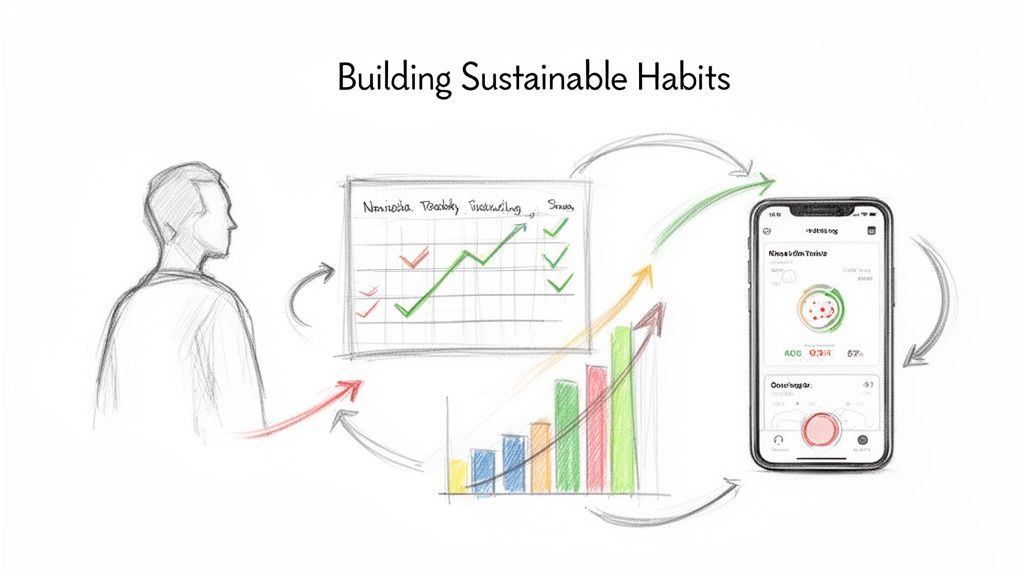
This is how you turn raw data into real change. You’re essentially creating a powerful feedback loop that guides your choices without causing the stress that makes most people quit.
Start Small and Aim for Consistency
I see this all the time: people dive in headfirst, determined to be perfect from day one. They set a massive calorie deficit, swear to log every last crumb, and then crash and burn within a couple of weeks. A much better way to go is to prioritize consistency over perfection.
Try starting with a simple, almost laughably easy goal.
- Goal 1: For the first week, just log one meal a day. Pick whichever one is easiest for you.
- Goal 2: Once that feels like second nature, start logging all your meals. Don't even worry about hitting your calorie targets yet. Just focus on building the habit of opening the app and recording what you ate.
- Goal 3: After you've been logging consistently for a few weeks, then you can start making small tweaks to get closer to your targets.
This gradual method helps you sidestep that "all-or-nothing" trap that trips so many people up. Missing a meal or even a whole day isn't a failure; it’s just a blip in the data. The real victory is simply getting back to it the next day.
Master the Art of Logging Homemade Meals
Logging an item from a restaurant chain or a packaged food is simple. But what about that big pot of chili you made from scratch? This is a huge friction point where a lot of users get frustrated and just give up. Manually entering a dozen ingredients for a recipe is precise, but let's be honest, it's way too tedious to do every day.
A "good enough" log that takes seconds to record is infinitely more valuable than a "perfect" log you never finish. The real power of tracking comes from consistent data over time, not flawless accuracy on a single meal.
This is where AI-powered apps like BiteKit really shine, because they can deconstruct a meal from a quick photo or a voice note. So, instead of manually adding ten-plus ingredients for your chili, you can just say, "a bowl of homemade beef chili with beans and cheese," and the AI gives you a solid estimate. An approach like this makes logging your real-world, complex meals actually sustainable.
Turn Your Data into Actionable Insights
Your tracking app is so much more than a digital food diary—it's a goldmine of personal data. Once you have a few weeks of consistent logs under your belt, you can start digging into the trends to really understand your own habits. Our guide on using a food diary app dives deep into how this data can reveal some powerful insights about your behavior.
Start using your app's reports to ask yourself some important questions:
- Weekly Reports: "What days do I usually go over my calorie budget? Is there a pattern here, like weekends or really stressful workdays?"
- Macronutrient Breakdowns: "Am I always low on protein? Maybe I should add more to my breakfast to feel full longer."
- Progress Charts: "Do I have more energy for my workouts when my carb intake is higher on those days?"
This is how you shift from simply reacting to your diet to proactively managing it. By spotting these patterns, you can make small, smart adjustments—like having a high-protein snack ready before that 3 PM slump hits—that lead to huge results over the long haul. Your app becomes your personal nutrition detective, helping you build a strategy that’s truly tailored to you.
So, How Is BiteKit Different?
After looking at what makes a great calorie tracker, you start to see a common thread: the best apps get out of your way. But most of them still rely on methods that create a ton of friction. The daily chore of searching for foods, scanning barcodes, and navigating clunky interfaces is exactly why so many of us give up.
BiteKit was built to solve this specific problem. It's designed to make tracking a sustainable habit by getting rid of that friction entirely.
Instead of making you do all the work, BiteKit uses AI to handle the heavy lifting. Forget spending five minutes picking apart your salad ingredient by ingredient. You can log your entire meal in a few seconds.
- Snap a Photo: Just take a picture of your food. The AI identifies what's on the plate, figures out the portion sizes, and does the math for you.
- Use Your Voice: Say something like, "I had a bowl of oatmeal with blueberries," and it's done. Logged.
- Type It Out: A simple sentence is all it needs to break down your meal's nutritional info.
This completely flips the script. Tracking goes from a tedious data-entry task to a quick action you can finish before your food even gets cold.
Fast, Focused, and Private
Beyond just making logging easier, BiteKit is built around two core ideas that you don't often see together: speed and privacy. The whole experience is designed to be clean and direct. You get in, log your food, and get out. There’s no social feed, no ads, no distracting clutter—just the tools you need.
But the privacy part is where BiteKit really stands apart. In a world where nearly every health app wants you to create an account and hand over your data, BiteKit takes a radically different approach.
BiteKit has a strict no-account, on-device data policy. Everything you log—your meals, your weight, your health goals—is stored exclusively on your phone. It never touches a cloud server. Your privacy isn't just a bullet point feature; it’s the default setting.
This makes BiteKit a perfect fit for anyone who just wants to track their food without the hassle or the privacy trade-offs. It’s for the busy person who needs to log a meal in under 30 seconds between meetings, or for anyone who simply believes their personal health data should stay personal. If you're tired of the friction that comes with other apps, BiteKit is a genuinely refreshing alternative.
Common Questions About Calorie Tracking
Let's wrap up by tackling some of the questions I hear most often from people who are just starting out with calorie tracking.
Just How Accurate Are These Calorie Tracking Apps?
The accuracy really boils down to the app's core technology. For years, the standard has been a massive food database. This works brilliantly for packaged foods with a clear nutrition label, but it can get a bit shaky with user-added entries or restaurant meals.
Now, we're seeing AI-powered apps that estimate nutrition from a simple photo. It’s incredibly fast, but the technology can't see hidden ingredients like the oil used for cooking or the sugar in a sauce. For the best of both worlds, I always recommend using AI for the initial quick entry and then manually tweaking it to account for those invisible extras.
Do I Really Have to Track My Food Forever?
Absolutely not. Please don't think of this as a life sentence of food logging! The real goal is education, not endless tracking.
Think of it as a temporary learning phase. For a few months, you’ll build an incredible awareness of portion sizes, what's actually in your food, and your own personal eating habits. Once that knowledge becomes second nature, you can ease off daily tracking and just use the app for an occasional spot-check to stay on course.
Are the Free Calorie Tracking Apps Good Enough to Use?
For most people starting out, a free app is more than enough. The core features—logging calories and macros—are usually available for free, and honestly, that's the foundation of the entire process.
So when does it make sense to pay? You should only consider upgrading when you're ready for more advanced insights. If you find yourself wanting to dive deep into micronutrient analysis, get personalized coaching, or just enjoy an ad-free experience, then a premium plan might be a smart investment. My advice is to master the free version first. Once the habit is solid, you'll know for sure if the paid features are a "need" or just a "nice-to-have."